ABF Atlas how it works and used
How Safe Contact Works
This app helps people who prefers lactation based kinks/fetish connect safely while protecting privacy. Here’s how communication happens between User A and User B.
🗺️ Step 1 — Finding Someone
User A browses the map and finds User B’s profile. Profiles only show approximate location and basic details for privacy.
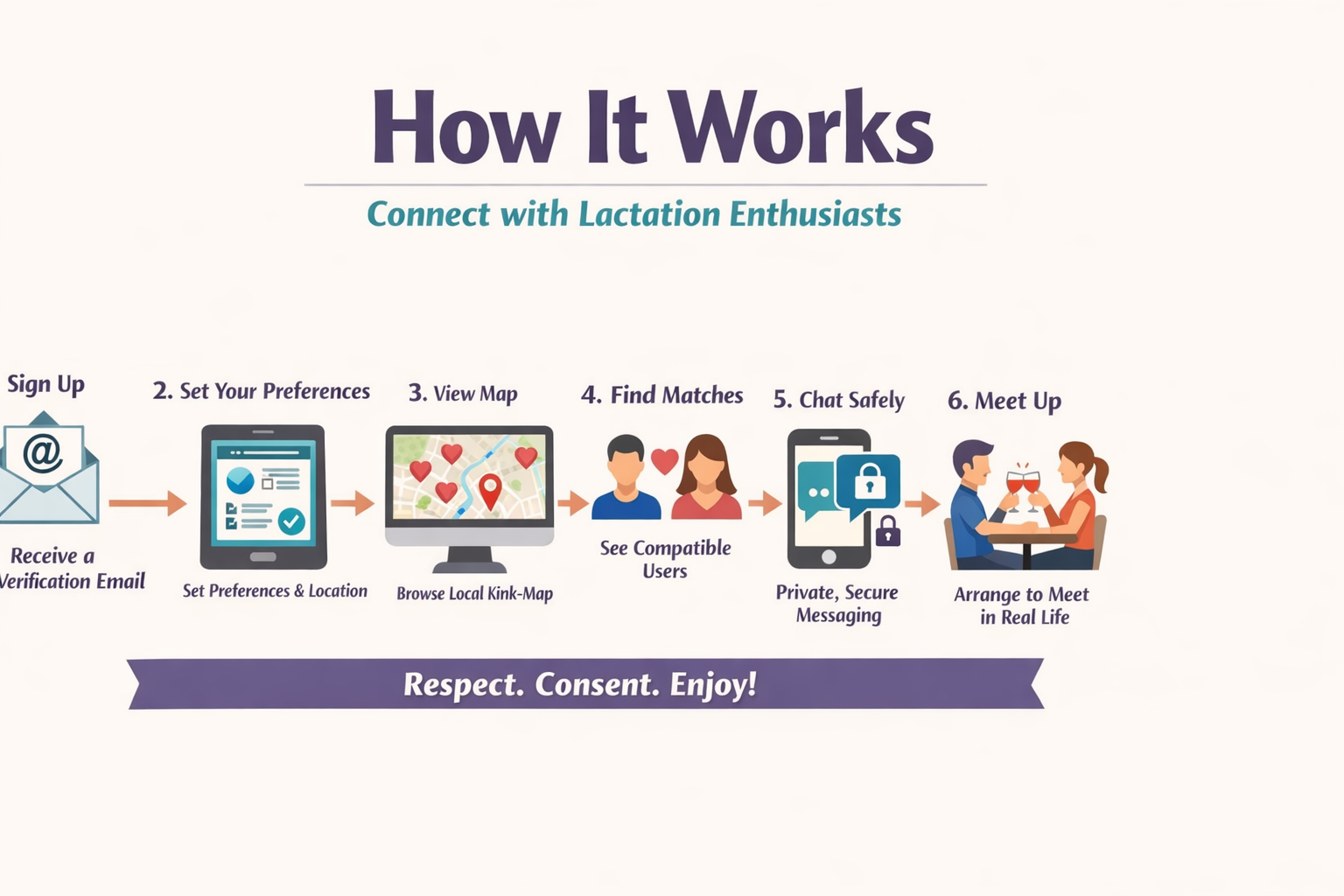
[ Map discovery diagram goes here ]
📨 Step 2 — Contact Request
User A clicks the “Contact” button on User B’s profile. The app then sends an introduction email to User B.
This email includes:
• User A’s email address
• A notice that the contact came through the platform
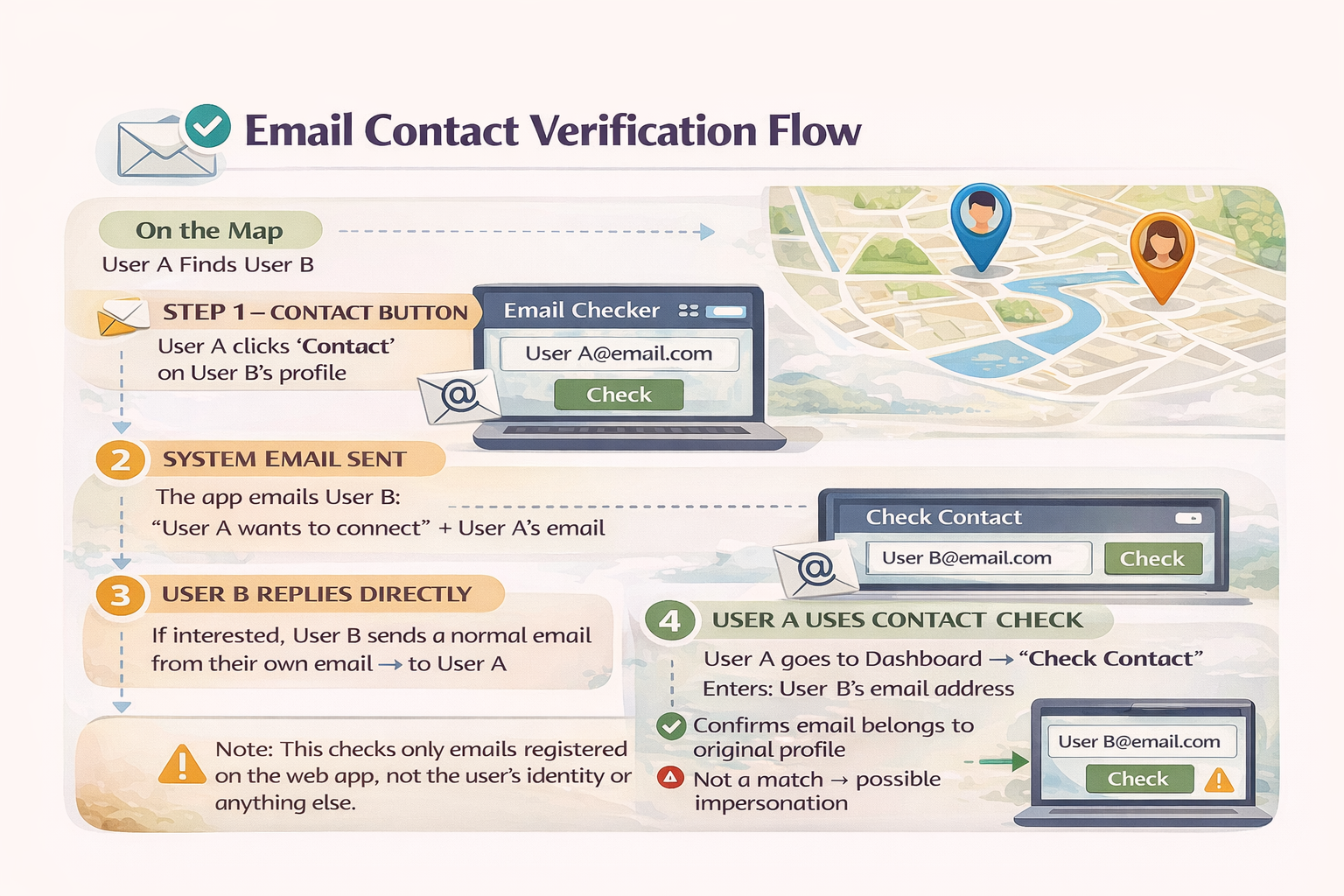
[ Contact button flow diagram ]
🔍 Step 3 — User B Verifies User A
Before replying, User B can verify User A inside the app.
User B goes to:
Dashboard → Email Checker
and enters User A’s email address.
The system confirms:
✅ The profile exists
⚠️ Whether the profile has any warnings or restrictions
✉️ Step 4 — User B Replies Directly
If interested, User B sends a normal email from their own email to User A’s email address received in the introduction message.
The conversation now moves to regular email between both users.
📥 Step 5 — User A Verifies the Reply
When User A receives the reply, they can verify that the sender is really the same profile they contacted.
User A goes to:
Dashboard → “Check Contact”
and enters User B’s email address.
The system confirms:
✅ This email belongs to the profile User A originally contacted
❌ If it does not match (possible impersonation)
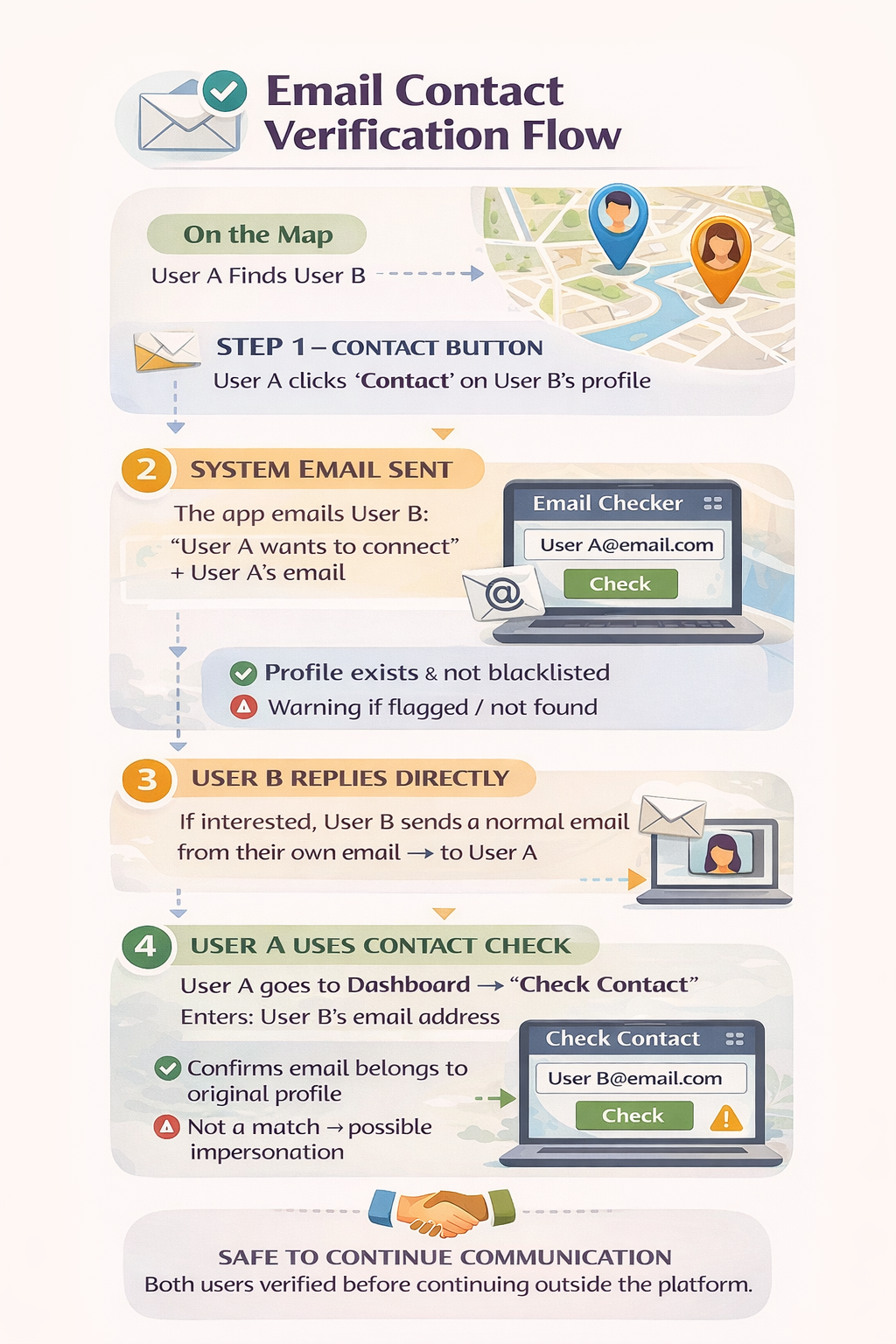
[ Contact verification diagram for User A ]
⚠️ Important Safety Note
The Email Checker only confirms whether an email address is connected to a profile on this platform.
It does NOT verify real-world identity, background, or intentions. Always communicate carefully and follow online safety best practices.
To delete your account, email a request to help.app@kverselibrary.cf from your registered email address.
To recover your account incase of forgotten password write to help.app@kverselibrary.cf from your account registered email along with your age, geander, location.